Guide
WHDZ05 smart plug: same outside, Zigbee or Wi-Fi inside
Published · Updated
I have two of these smart plugs. They look the same from outside, and the label is the same, but one has a Zigbee radio and the other has Wi-Fi. I thought the second one was Zigbee too. It turns out I’d ordered the Wi-Fi one by accident.
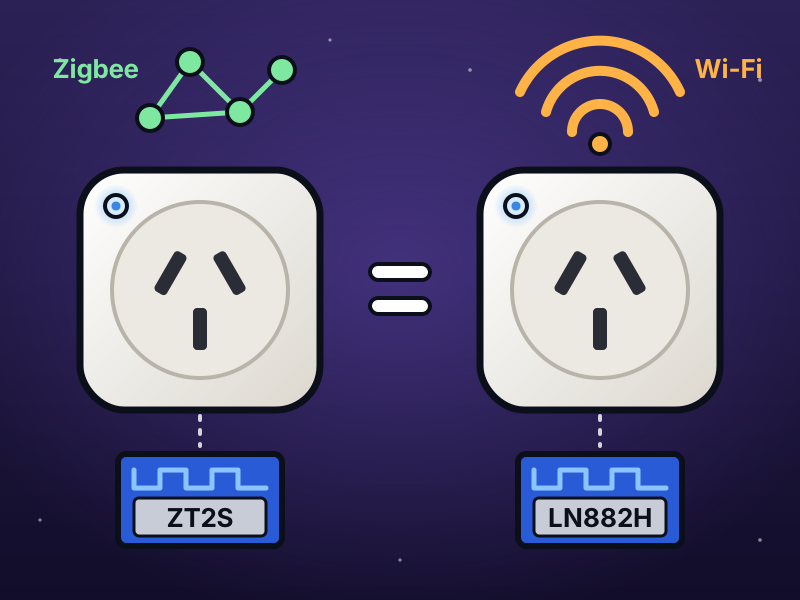
The two plugs, drawn. Photos of the real ones, open, are in step 2.
The two orders
Section titled “The two orders”Both came from AliExpress, from different stores.
| Zigbee plug | Wi-Fi plug | |
|---|---|---|
| Listing | Zigbee Tuya Smart Socket AU Standard NZ Plug with Energy Monitor | TUYA Australian and New Zealand Standard Smart Socket Voice Control |
| Option I picked | 1pcs Zigbee socket, 100-240V | WHITE, WIFI 16A 1PCS, 3, AU, 110-250V |
| Price | AU$12.49 (AU$12.90 paid) | AU$9.07 (AU$8.31 paid) |
| Label on the plug | WHDZ05, AC 100–250 V, max 16 A |
The same |
The Zigbee listing has Zigbee in its title. The Wi-Fi listing says Wi-Fi only in the option, as “WIFI 16A”.
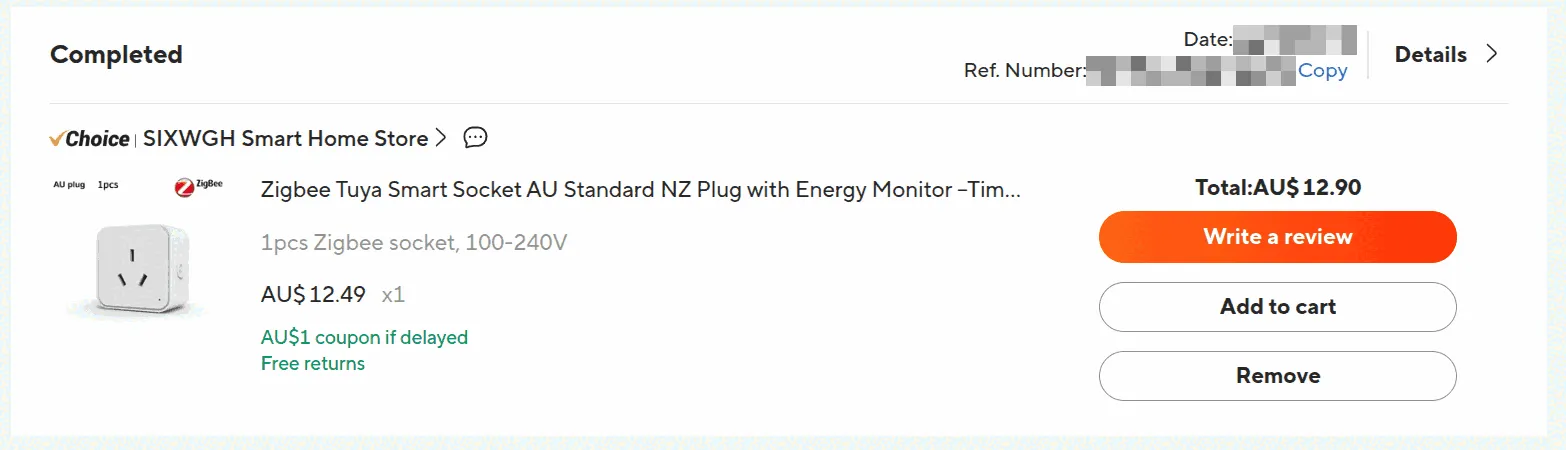
The Zigbee plug’s order. Date and order number pixelated.
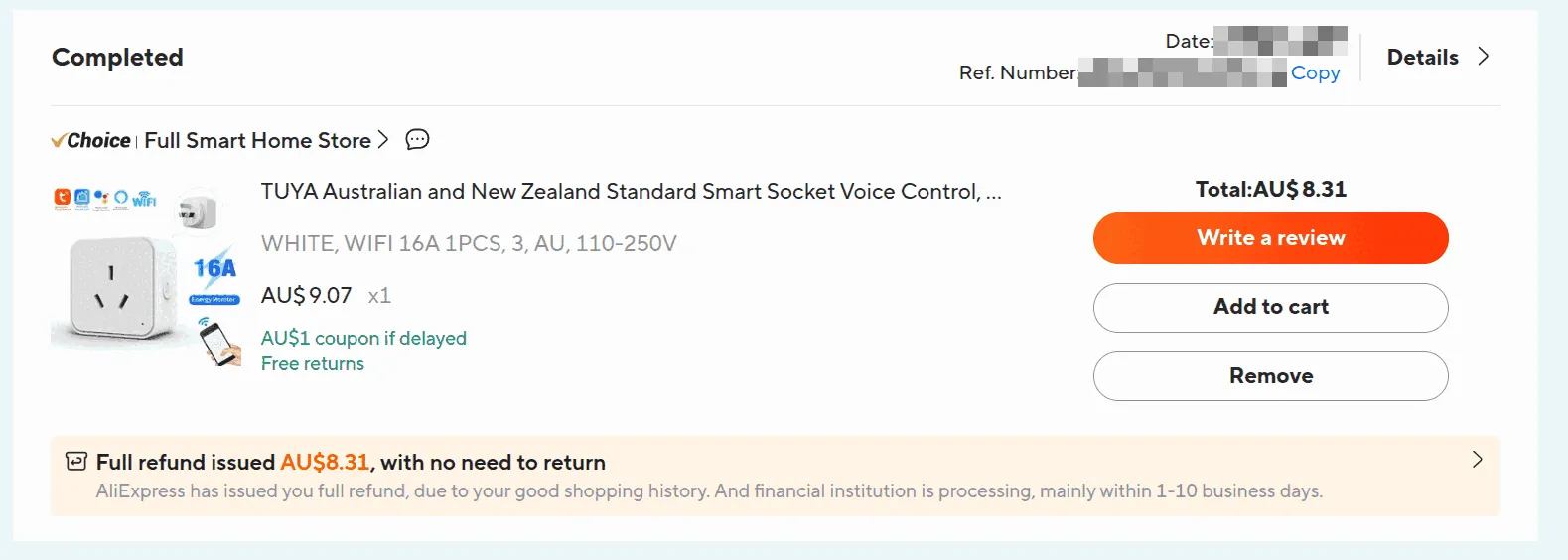
The Wi-Fi plug’s order, refunded without sending it back. Date and order number pixelated.
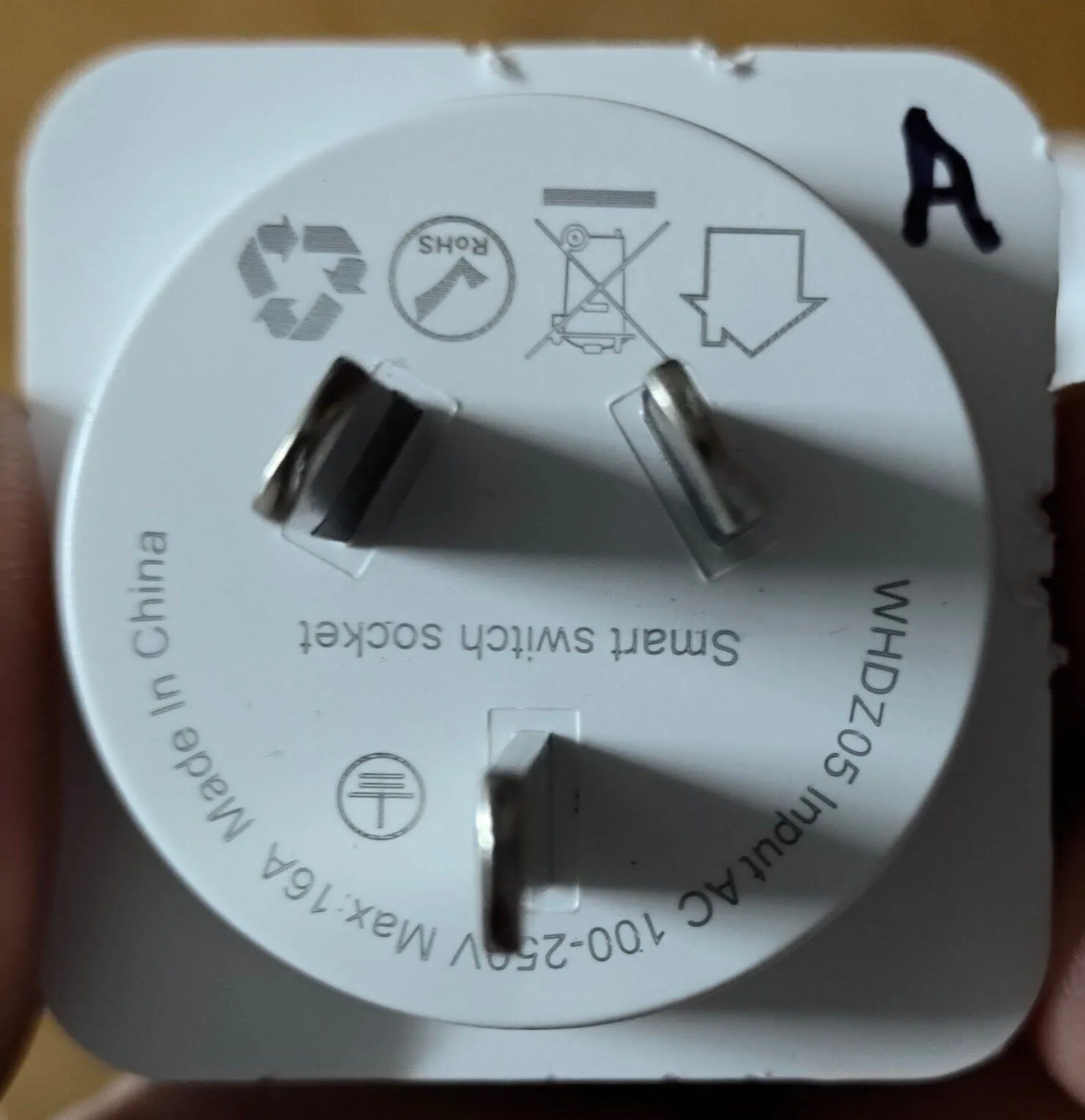
The label. Both plugs have the same one. The A is mine, in marker.
Step 1: Try pairing, and check the log
Section titled “Step 1: Try pairing, and check the log”I put the new plug in pairing mode, and its LED flashed blue. Then I opened Add device in ZHA (Home Assistant’s Zigbee integration) four times over 16 minutes. Nothing joined. The last try was with the Zigbee plug unplugged.
To see whether a device reaches the Zigbee radio at all:
-
Turn on debug logging, in Developer tools → Actions:
action: logger.set_leveldata:bellows: debugzigpy: debugbellowsis the driver for Silicon Labs radios like mine. Other radios usezigpy_znp,zigpy_deconzand so on. HA’s Add device page turns debug logging on by itself, but only while the page is open. -
Put the plug in pairing mode, and open Add device in ZHA.
-
Read the log: Settings → System → Logs, Show raw logs, and search for
trustCenterJoinHandler. Every join, rejoin or leave logs one, with the device’s address. -
Set both loggers back to
warning.
The Wi-Fi plug never logged a single line: it never reached the network.
Step 2: Open it and read the radio module
Section titled “Step 2: Open it and read the radio module”The radio is a small blue module, soldered upright on the main board. It’s the only part that’s different.
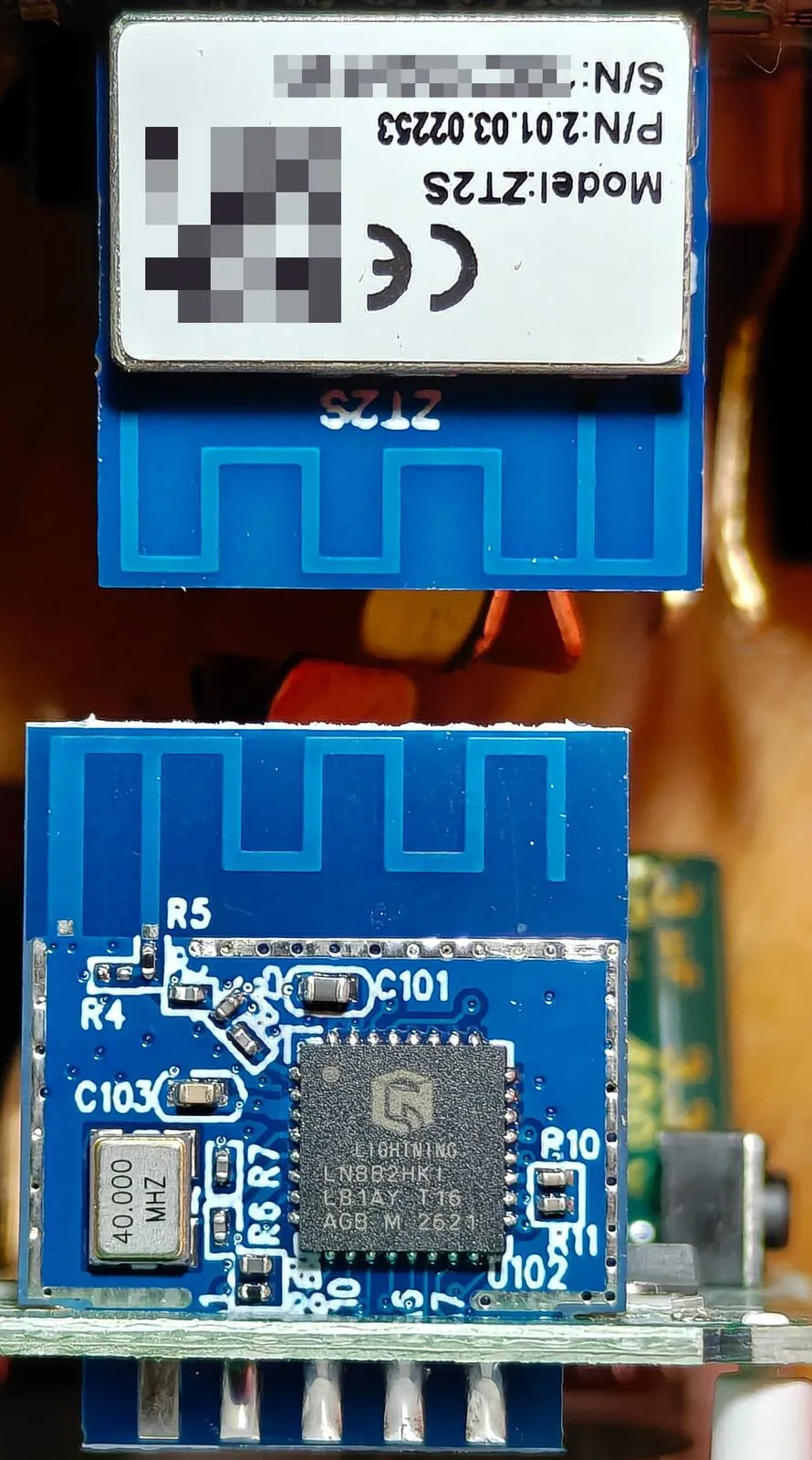
Both radio modules. Top, upside down: the Zigbee plug’s ZT2S. Bottom: the Wi-Fi plug’s LN882H. Serial number and QR code pixelated.
| Zigbee plug | Wi-Fi plug | |
|---|---|---|
| Module | Tuya ZT2S, P/N 2.01.03.02253 |
No name on it |
| Chip | Under a metal can with a white label. Tuya calls it “Z2” and doesn’t name the maker | LN882H (LN882HKI) by Lightning Semiconductor, in plain view |
| Radio | Zigbee | 2.4 GHz Wi-Fi and Bluetooth LE. No Zigbee |
| Easy to spot | The label: Model:ZT2S |
No can, and a 40.000 MHZ crystal next to the chip |
| In HA | ZHA: _TZ3210_cehuw1lw TS011F, standard on/off and electrical-measurement clusters. It’s a router too |
Not in HA |
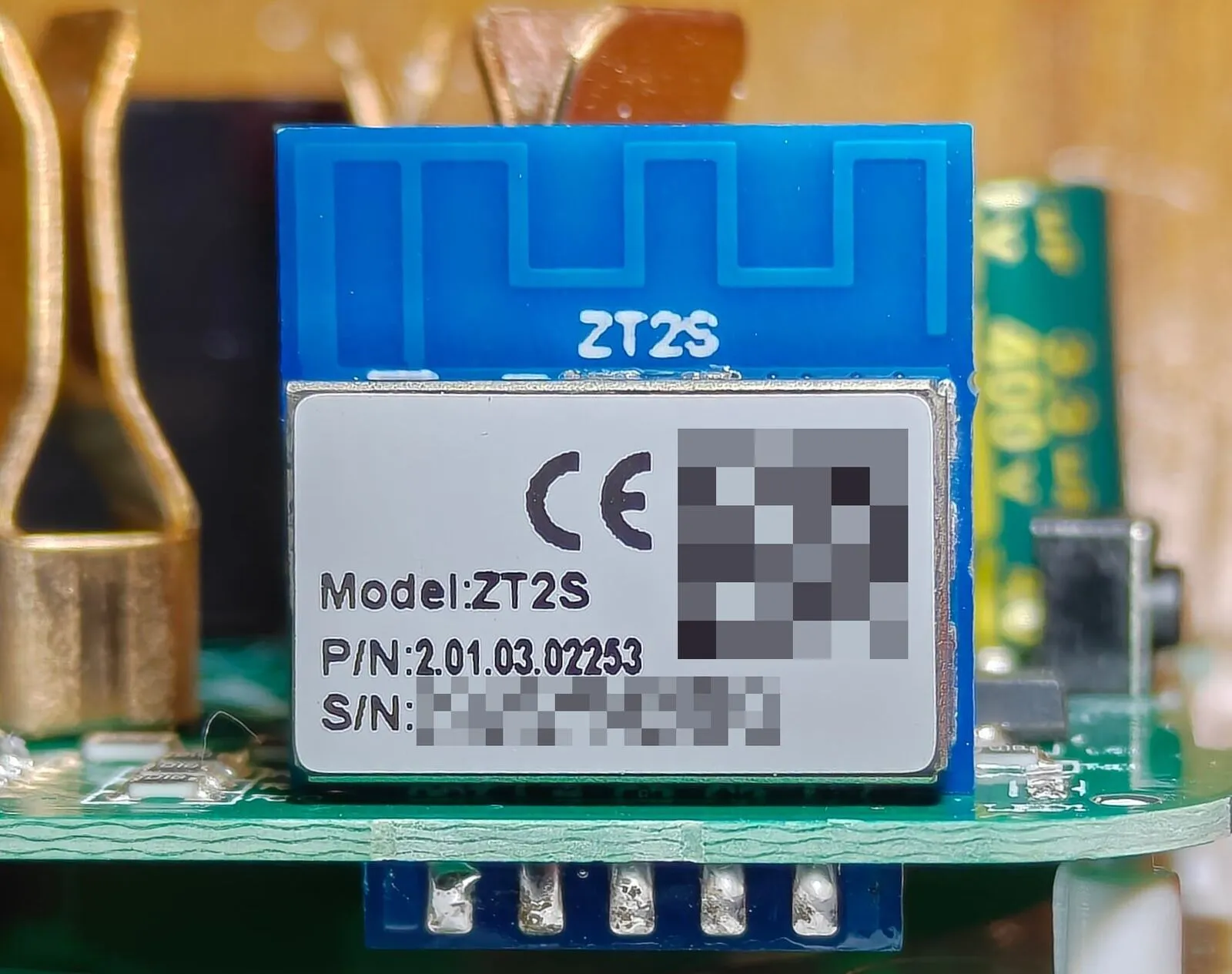
The Zigbee plug’s ZT2S. Serial number and QR code pixelated.
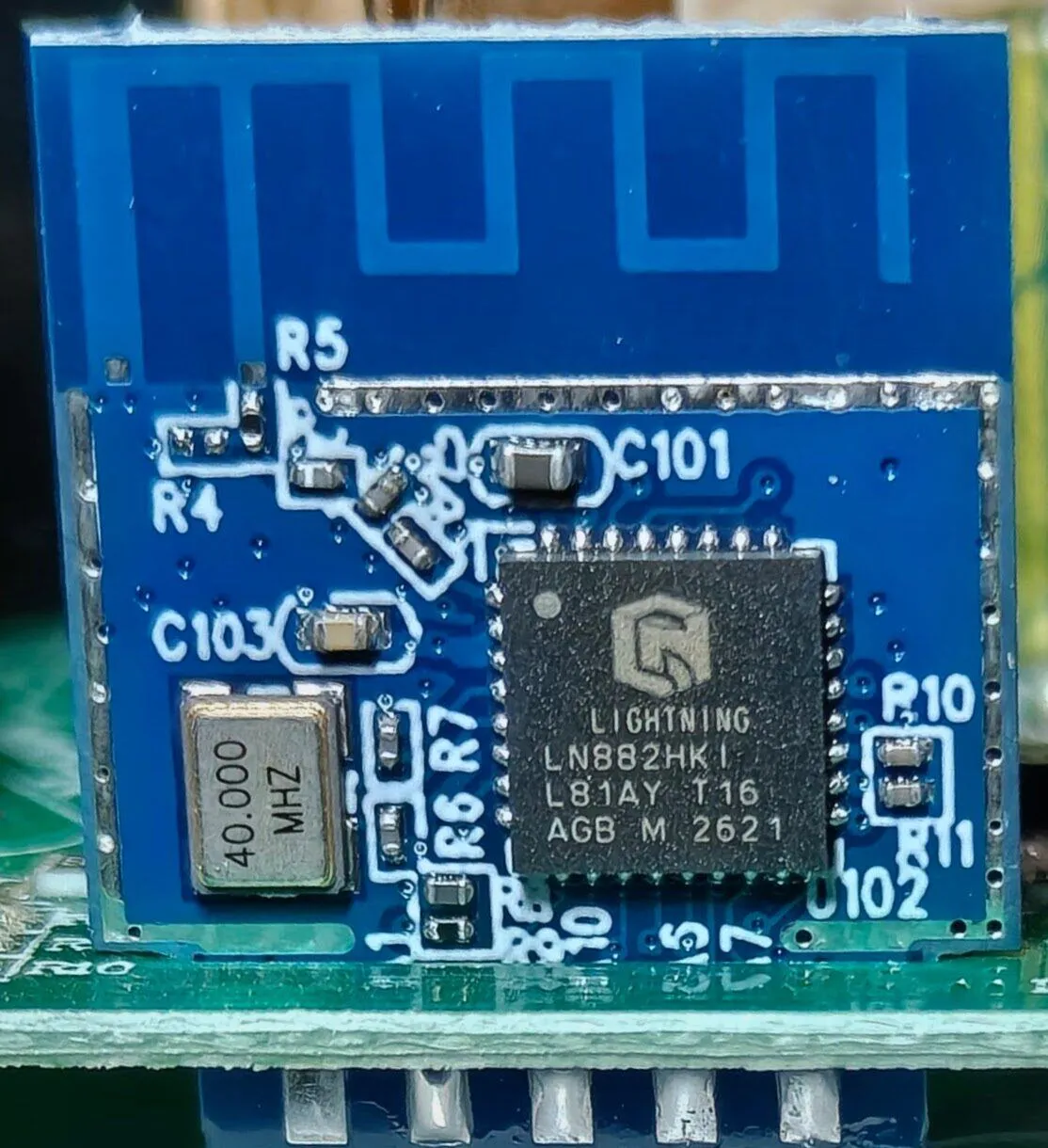
The Wi-Fi plug’s LN882H.
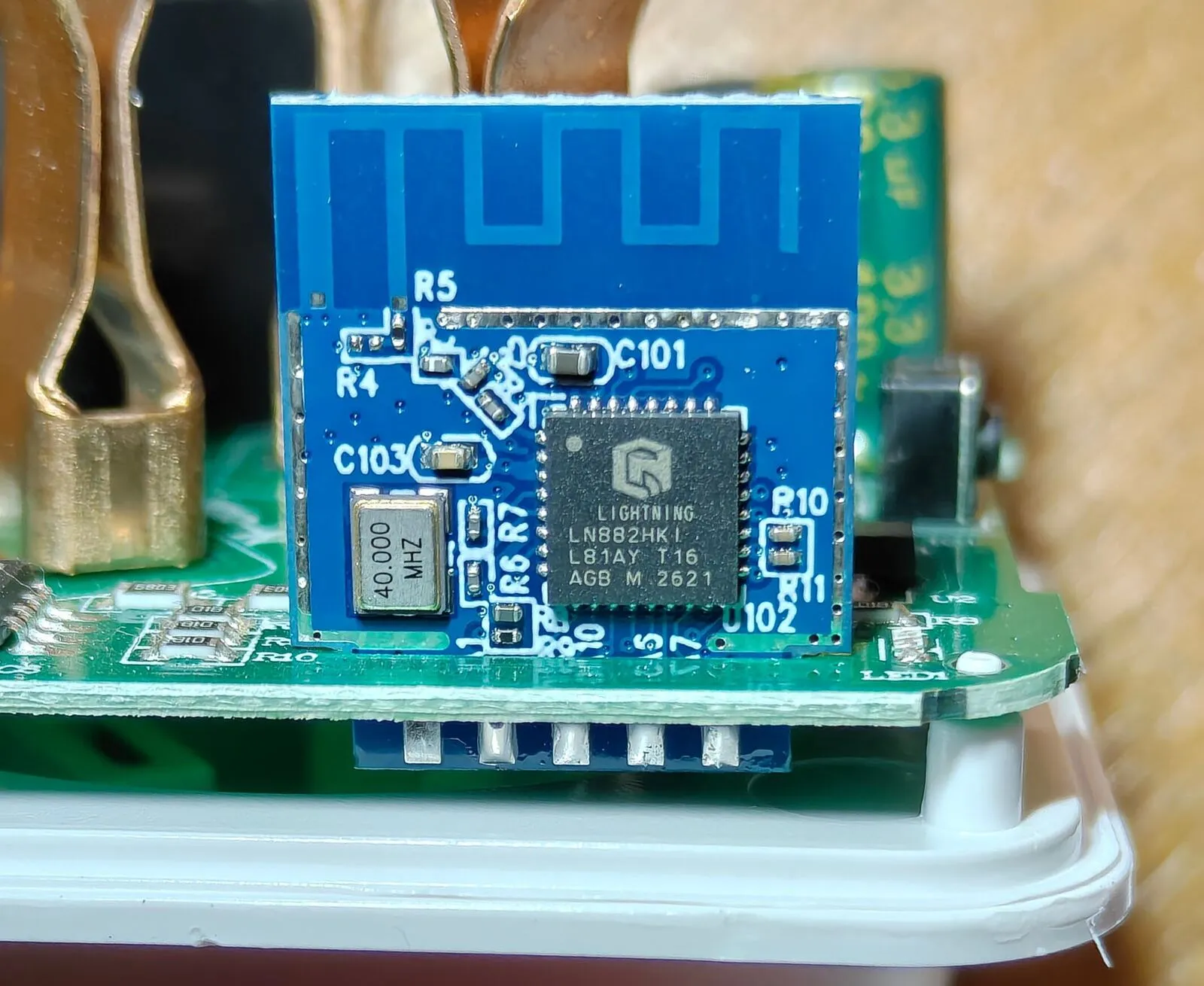
The LN882H module in its spot on the board.
The backs of the modules are different too. The ZT2S has pads marked VCC, GND, RX, TX and SWS (the pad Tuya’s datasheet uses for flashing). The LN882H module has test pads A9, B8, B9, EN and GND, and its edge pins are VCC, GND, A3, A2, A4 and A5.
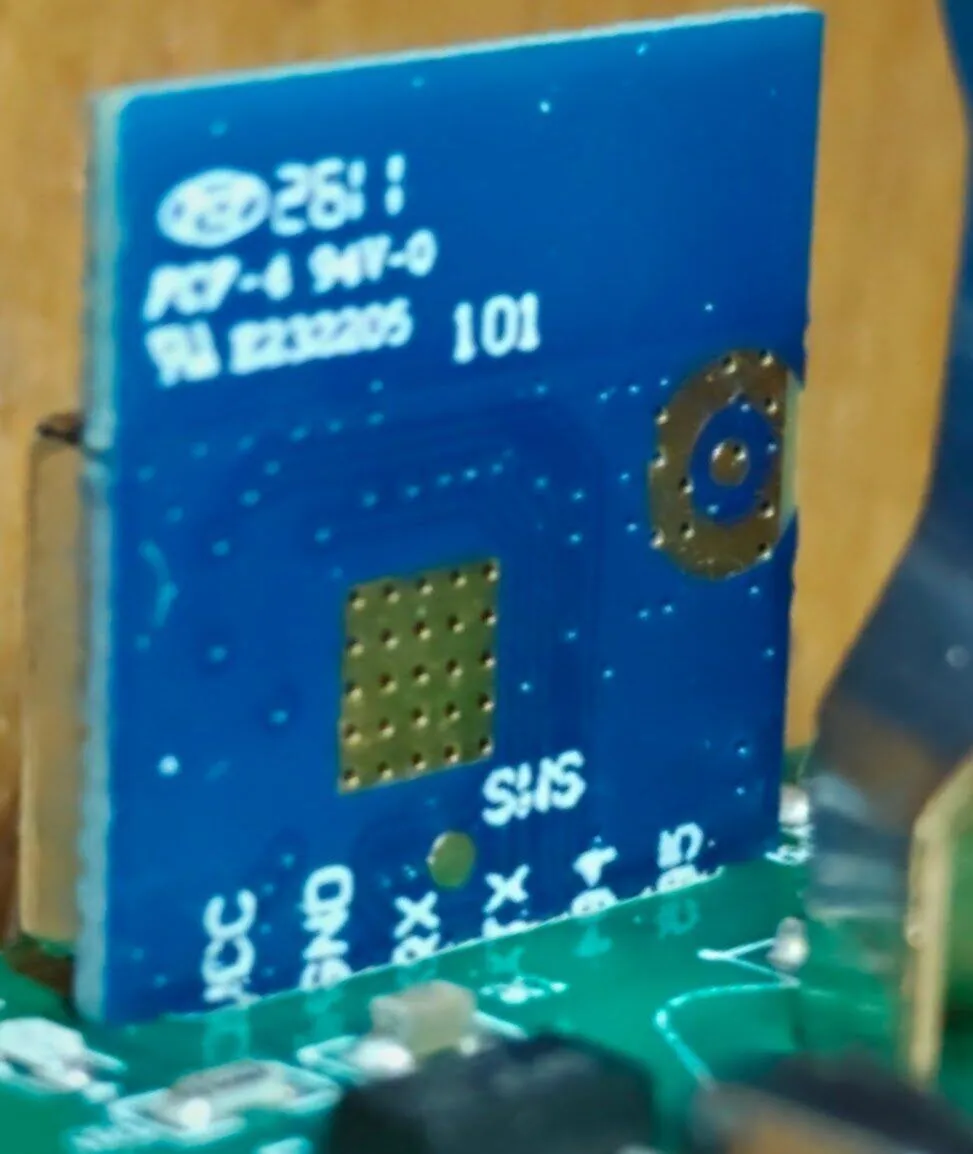
The back of the ZT2S.
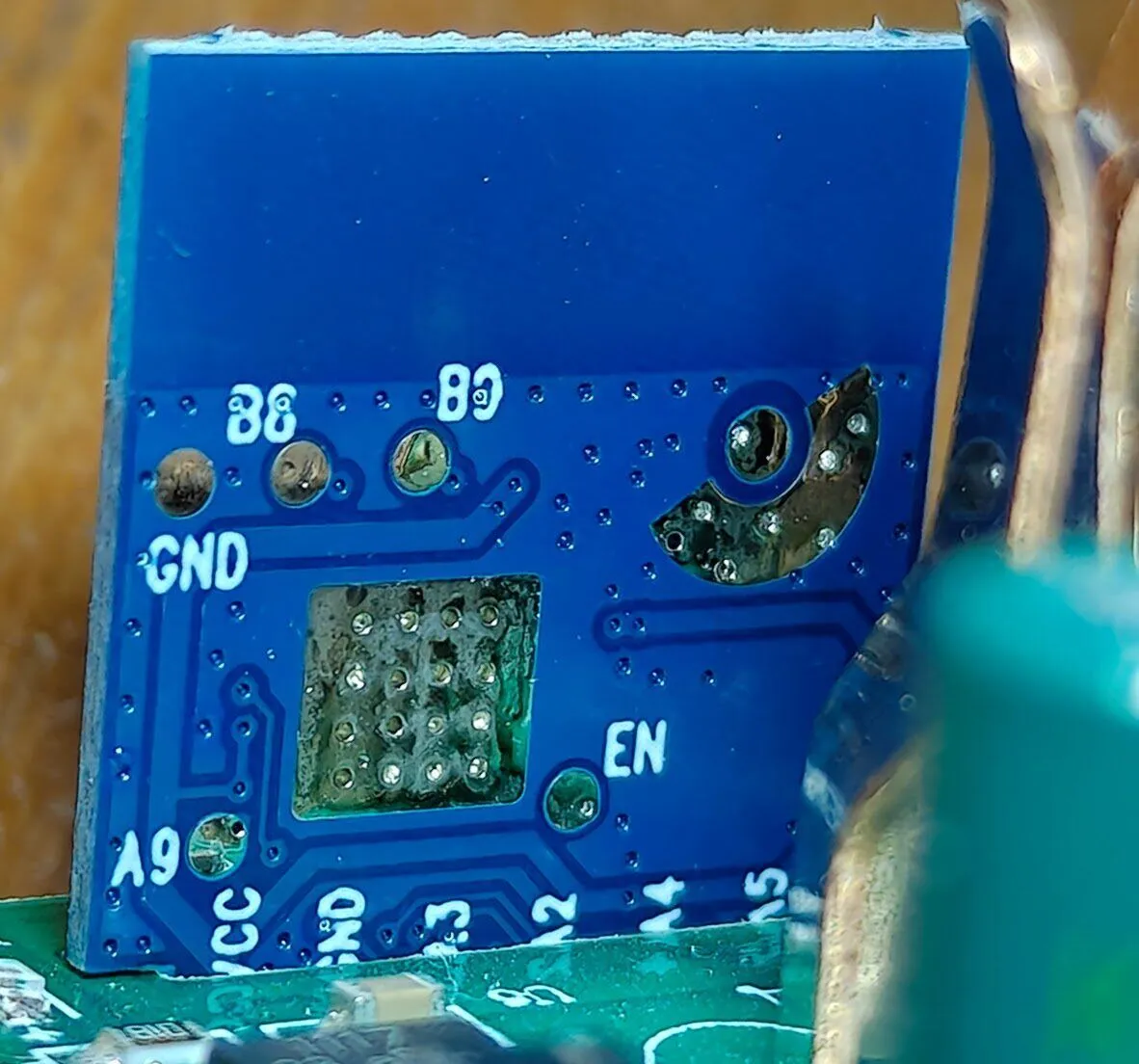
The back of the LN882H module.
Everything else is the same
Section titled “Everything else is the same”Both plugs have the same main board, WH_AU_ME V01. It has a QLRELAY JZC-11FH relay with a 5 V coil (16 A 277 VAC, 20 A 250 VAC on its label) and a BL0937 chip that measures voltage, current and power.
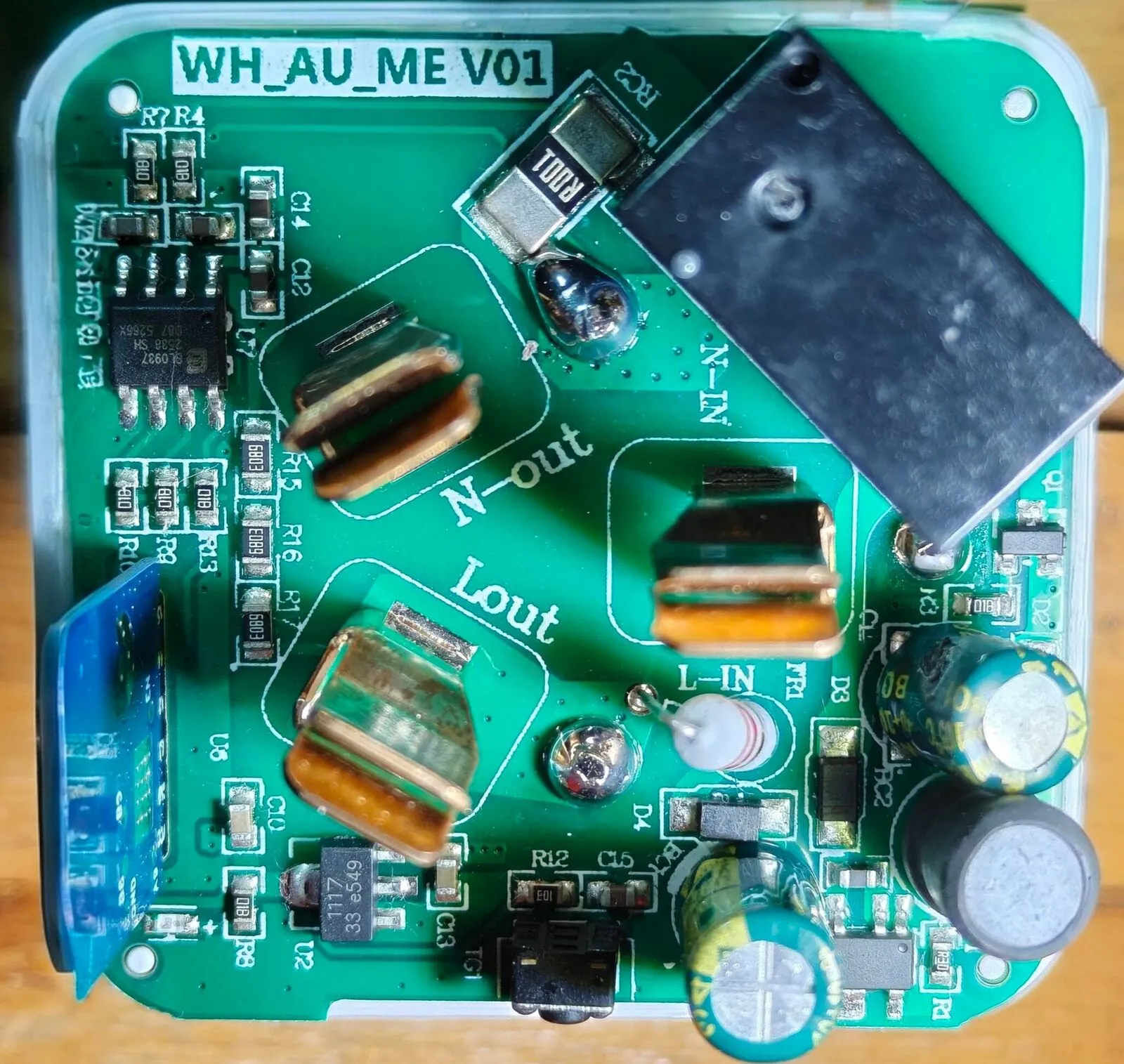
The main board, WH_AU_ME V01. The radio module stands at the left edge.
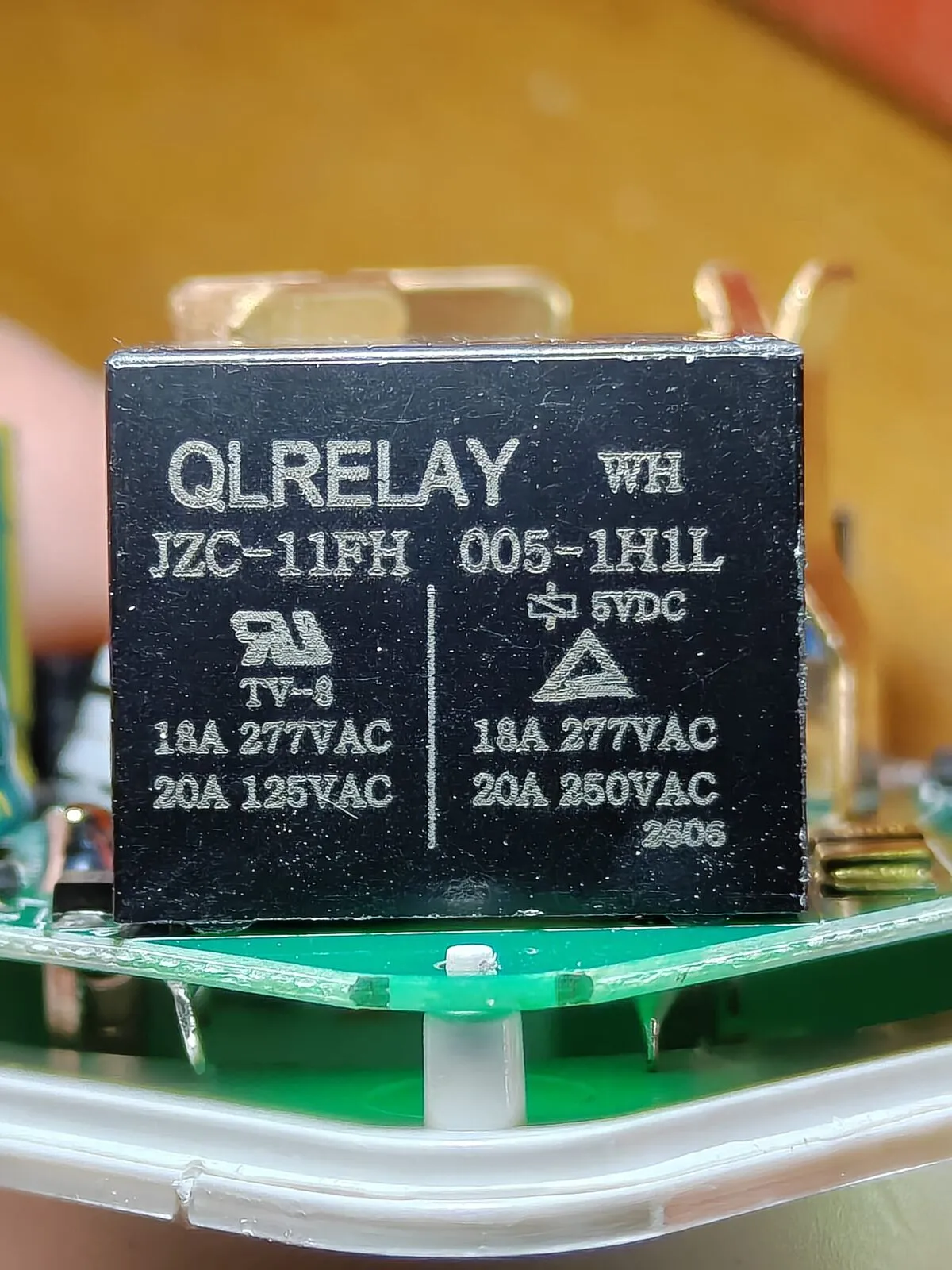
The relay.
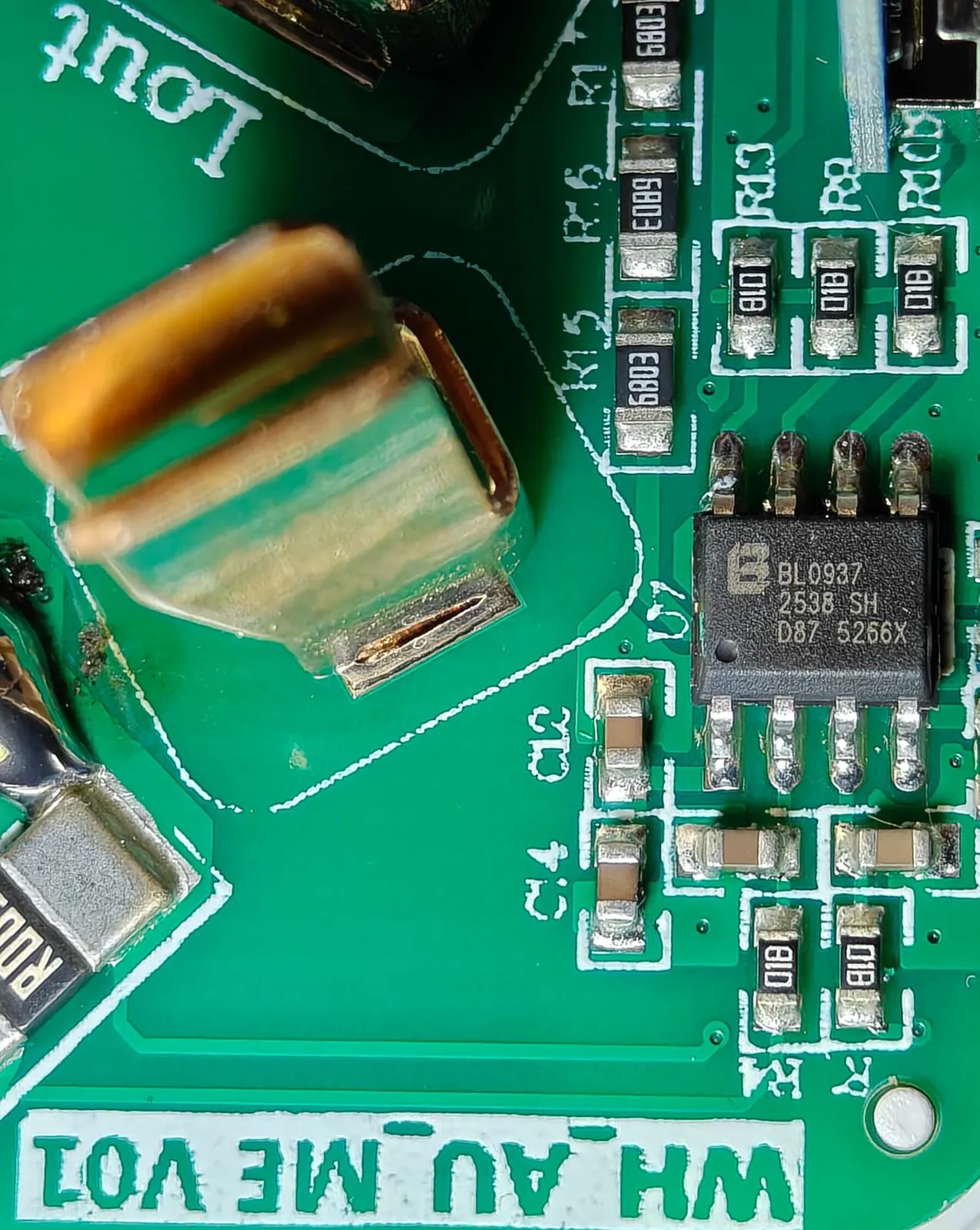
The BL0937 power meter chip.
Next: open firmware on the Wi-Fi plugs
Section titled “Next: open firmware on the Wi-Fi plugs”The LN882H runs ESPHome (through LibreTiny) and OpenBeken, both without any cloud. It flashes over its serial port: A2 and A3, with A9 held to ground at power-up. I’m working out the rest now. This guide gets updated when it’s done.
How it turned out
Section titled “How it turned out”The Zigbee plug works, and it runs our dryer now. The Wi-Fi one was my mistake: I’d ordered the wrong option. AliExpress refunded it, AU$8.31, without asking for it back.
It’s silly: I’ve since ordered the Wi-Fi one again, and it’s coming soon. I didn’t reorder the Zigbee one. So both Wi-Fi plugs get open firmware.
Sources
Section titled “Sources”- ZT2S module datasheet (Tuya)
- Lightning LN882x (LibreTiny docs: pins and flashing)
- OpenBeken (GitHub)
- Zigbee Home Automation (ZHA) (Home Assistant docs)
Change history
- : First published.
This guide as plain Markdown, for LLMs and scripts: whdz05-smart-plug-zigbee-or-wifi.md. All posts: API and Markdown.
Text, photos and drawings: CC BY 4.0. Code: MIT. Share and adapt them, crediting HomeLab Guides (blog.jacq.cc). Licence and privacy